SATA Data Cable Connectors & Pinouts
Background
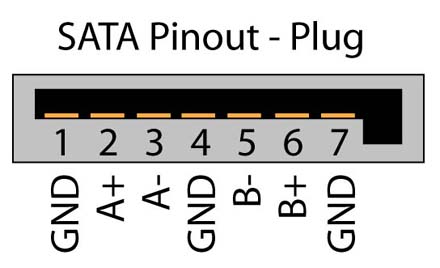
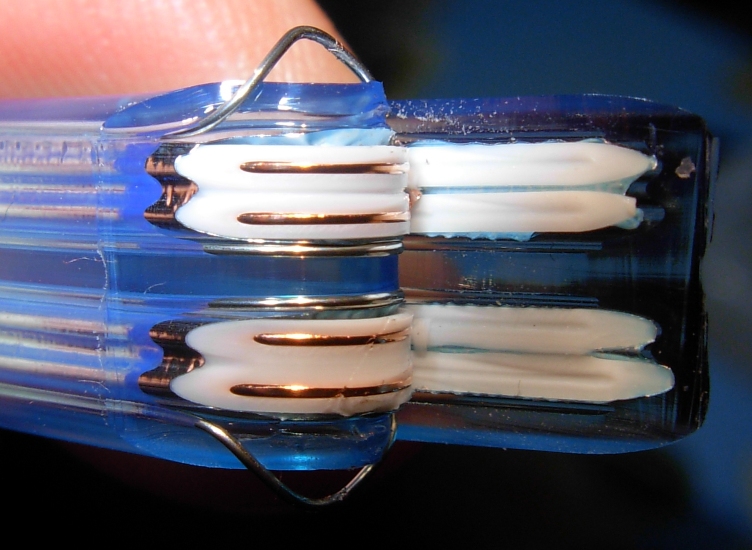
The SATA standard specifies a data cable with seven conductors—three grounds and four active data lines arranged in two pairs—terminated by 8 mm wafer connectors at each end. These cables can be up to 1 meter (3.3 ft) long and connect a single motherboard port to a single drive. By contrast, PATA ribbon cables use 40 or 80 wires, support one or two drives per port, and are limited to 45 cm (18 in) by specification, though longer 90 cm (35 in) versions exist. SATA’s slimmer connectors and cables are easier to route in tight spaces, improve airflow, and often include locking clips for secure attachment.
SATA connectors come in straight or angled designs—upward, downward, leftward, or rightward. Angled connectors reduce profile height: downward‑angled versions route the cable immediately along the circuit board side of the drive, while upward‑angled versions direct it across the drive toward the top.
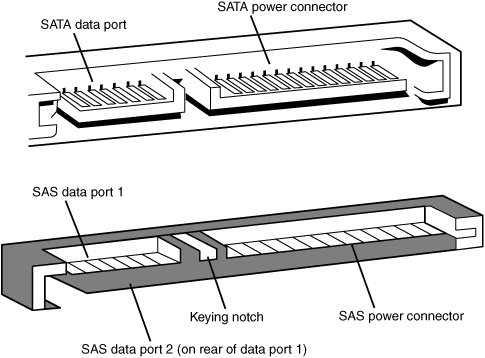
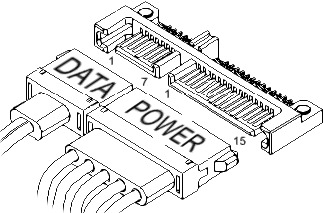
The Serial ATA (SATA) bus is defined over two separate connectors, one connector for the data lines and one for the power lines. A Serial ATA Hard drive may also have a third connector for legacy PATA power connections.
The PATA power connector may be used in instead of the SATA power cable to supply a connection which is more rugged and reliable then the SATA-1 power connection. The PATA interface is not visible in the diagram.
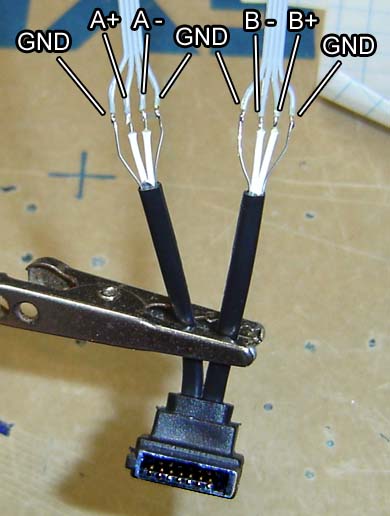
The Serial ATA interface cable consists of four conductors in two differential pairs, plus three ground connections. The cable size may be 30 to 26 AWG with a maximum length of one meter (39.37 inches).
Materials
If you prefer ready-to-use solutions, you can purchase SATA data cables directly. For those who enjoy building or customizing their own cables, SATA connectors and Electrical Wire are available for DIY projects.
SATA Interfaces
- SATA/150 (1500Mbps) - first-generation of Serial ATA interfaces, also known as SATA/150, run at 1.5 Gigahertz (GHz). Actual data transfer rate is up to 1.2 Gigabits per second (Gb/s), or 150 megabytes per second (MB/s). The simplicity of a serial link and the use of LVDS allow to use of longer drive cables.
- SATA 3.0Gb/s (SATA II, 3.0Gbps) - second-generation of SATA interfaces. A 3Gb/s signaling rate was added to the PHY layer. SATA II devices are required to support the original 1.5Gb/s rate. In practice, some older SATA systems require the peripheral device's speed be manually limited to 150MB/s with the use of a jumper. SATA II uses same encoding as SATA I featuring an actual data transfer rate of 2.4 Gb/s, or 300 MB/s.
- SATA 6.0Gb/s (SATA III, 6.0Gbps) - SATA revision 3.0 doubles the speed of the current 3Gb/s version, reaching transfer speeds of 6Gb/s.
SATA Revision History
- SATA 1.0 (2003): 1.5 Gbit/s (150 MB/s)
- SATA 2.0 (2004): 3.0 Gbit/s (300 MB/s), NCQ introduced
- SATA 2.5 (2005): Consolidated specification
- SATA 2.6 (2007): Slimline/micro connectors, NCQ enhancements
- SATA 3.0 (2009): 6.0 Gbit/s (600 MB/s), improved power management
- SATA 3.1 (2011): mSATA, queued TRIM, USM support
- SATA 3.2 (2013): SATA Express, M.2, DevSleep mode
- SATA 3.3 (2016): SMR support, Power Disable (PWDIS)
- SATA 3.4 (2018): Write notification, temperature monitoring
- SATA 3.5 (2020/2021): Ordered NCQ, command duration limits
SATA and eSATA Hot Plugging
The Serial ATA (SATA) specification requires that compliant devices support hot plugging. This means a device can be inserted into or removed from a powered backplane connector (carrying both signal and power) without shutting down the system. Once connected, the device initializes and operates normally. Depending on the operating system, the host may also reinitialize, enabling a full hot swap. It is important to note that while insertion and removal are safe even when the host and device are active, any unsaved data may be lost if power is removed unexpectedly.
Unlike PATA, both SATA and eSATA were designed with hot-plugging capability. In general, SATA devices meet the device-side requirements, and most modern host adapters support hot plugging. For eSATA, hot plugging is available only in AHCI mode. Systems running in IDE mode do not support this feature.
Pictures



Updated on: 16/05/2026
Thank you!